EBSCOHost Databases
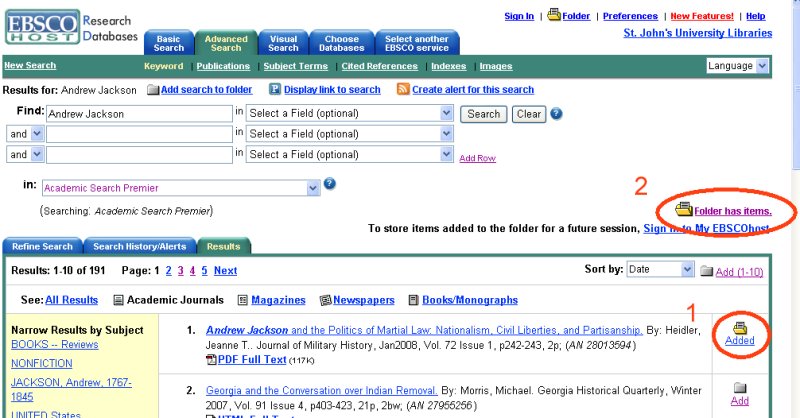
1. Select the document(s) you wish to export.
2. Once you have marked your document click on Folder has items
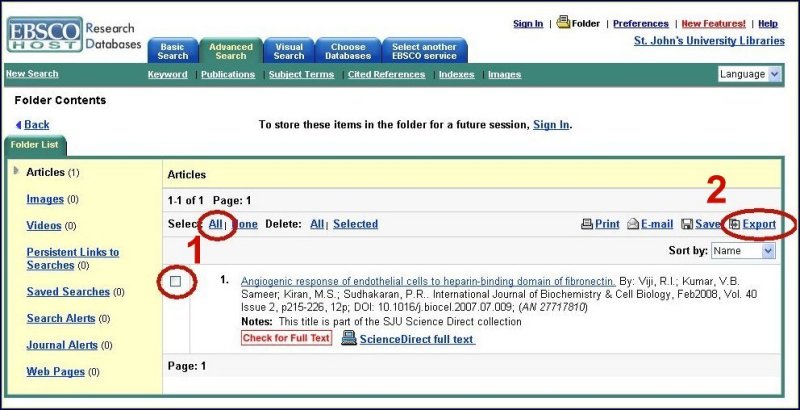
1. Confirm you want all documents by selecting ALL
2. Click on EXPORT
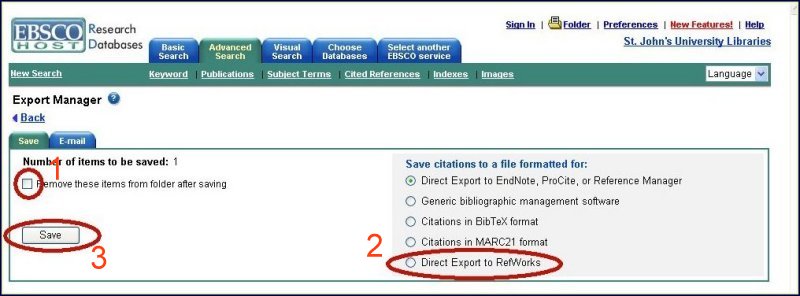
1. Check Remove these items...
2. Place a check in Direct Export to RefWorks
3. Click Save